BISP Balance Check by CNIC 2026
The Benazir Income Support Programme (BISP) has further improved its system in 2026 to make financial assistance more accessible and transparent for low-income families across Pakistan. Beneficiaries can now easily check their payment balance, eligibility status, and verification details online using their CNIC. With the introduction of digital verification, biometric withdrawals, and real-time updates, the government aims to ensure that every deserving woman receives the full Rs.13,500 payment without delay or interference. This modernised approach reduces corruption, eliminates middlemen, and strengthens trust in the system.
Also read more: BISP 8171 CNIC Verification Completed – Eligibility Confirmed
Purpose of This Guide
This guide explains, in simple words, how beneficiaries can:
-
Check Benazir balance online or via SMS
-
Understand eligibility and PMT score
-
Withdraw Rs.13,500 safely through biometric verification
-
Avoid common mistakes and fraud
It is especially helpful for women, elderly citizens, and first-time users who may find government procedures confusing.
What Is the 8171 Online System?
The 8171 system is Benazir’s official digital platform that allows beneficiaries to check their financial support status instantly. Instead of visiting offices or relying on agents, families can verify their records from home using a mobile phone or computer.
In 2026, the system has been upgraded with a mobile-friendly design, making it easy to use even on basic smartphones. Beneficiaries can now view eligibility updates, payment status, PMT score, and survey information in real time.
Key Advantages of the 8171 Portal
-
Instant access to payment and eligibility status
-
Transparent verification process
-
No involvement of unauthorized agents
-
PMT score visibility
-
Reduced travel and waiting time
How to Check BISP Balance Online Using CNIC
Checking your BISP balance online is the most accurate way to confirm whether your payment has been released.
Step-by-Step Method
-
Visit the official website: 8171.bisp.gov.pk
-
Enter your 13-digit CNIC number
-
Fill in the captcha code displayed
-
Click on Submit
-
View your eligibility, payment status, and PMT score
This method helps beneficiaries avoid unnecessary visits to payment centres and allows them to keep a screenshot for future reference.
BISP Eligibility & Balance Check via SMS
For people without internet access, BISP also provides an SMS service.
SMS Method
-
Open the message app on your mobile phone
-
Type your CNIC number (without dashes)
-
Send it to 8171
-
Wait for the reply message confirming eligibility
Note: The SMS service only shows eligibility status, not payment history or PMT score.
Understanding PMT Score and Eligibility
The PMT (Poverty Means Test) score determines whether a household qualifies for Benazir assistance. It is calculated using government data related to income and living conditions.
Factors That Affect PMT Score
-
Monthly income
-
Number of dependants
-
Property or asset ownership
-
Employment status
-
Education and lifestyle indicators
A lower PMT score means higher eligibility, while a higher score may result in disqualification.
How to Update Information Through Dynamic Survey
If your financial situation has changed due to unemployment, illness, inflation, or family changes, you can update your record through the Dynamic Survey.
Required Documents
-
Original CNIC
-
Household information (if available)
-
Proof of income change or family size update
After updating, Benazir reassesses your data and revises your eligibility accordingly.
BISP Rs.13,500 Payment Schedule & Methods
Eligible families under the Benazir Kafalat Programme receive Rs.13,500 every three months. Payments are released in phases, and beneficiaries receive an SMS notification once funds are available.
Payment Collection Options
-
Authorized bank transfers (where applicable)
-
HBL Konnect agents
-
Benazir payment camps in remote areas
Biometric Verification and Cash Withdrawal
Biometric verification is mandatory to collect BISP payments.
Withdrawal Process
-
Visit an authorised HBL Konnect agent or Benazir centre.
-
Present your original CNIC
-
Verify your identity using thumb impression
-
Receive Rs.13,500 along with a printed receipt
If fingerprints do not match, try another centre or contact the Benazir office for assistance.
Common Problems and Their Solutions
| Issue | Solution |
|---|---|
| Website not loading | Refresh page or try another device |
| SMS reply delayed | Resend after a few minutes |
| Thumb verification failed | Try a different agent |
| Payment not showing | Call helpline 0800-26477 |
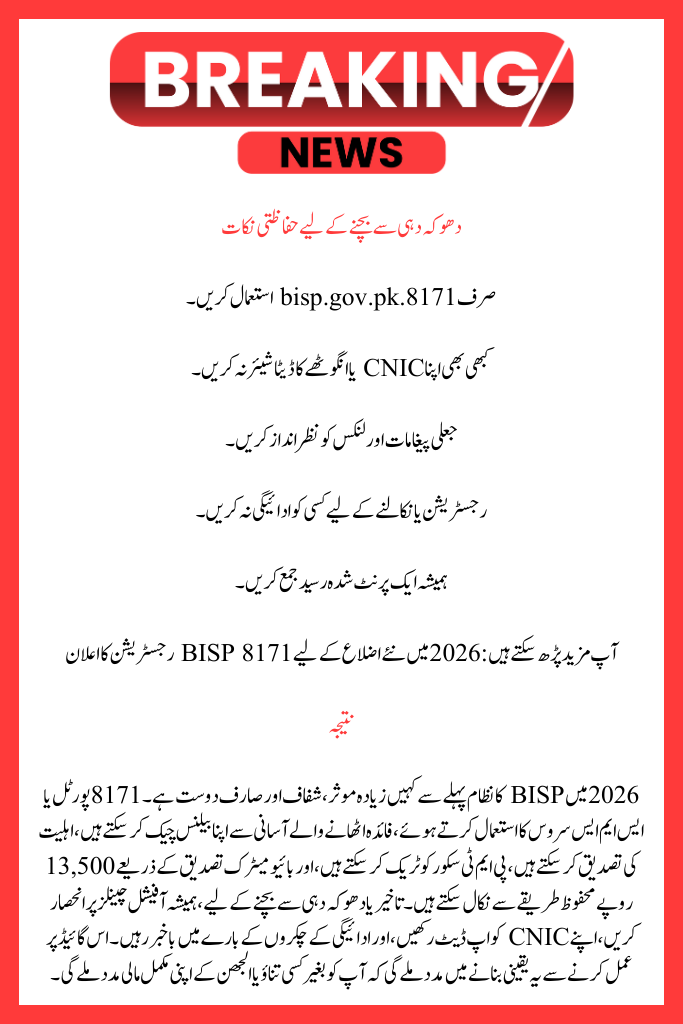
Safety Tips to Avoid Fraud
-
Only use 8171.bisp.gov.pk
-
Never share your CNIC or thumb data
-
Ignore fake messages and links
-
Do not pay anyone for registration or withdrawal
-
Always collect a printed receipt
Also read more: BISP Automatically Eligible Filers Can Now Withdraw Rs. 13,500
Conclusion
The BISP system in 2026 is more efficient, transparent, and user-friendly than ever before. By using the 8171 portal or SMS service, beneficiaries can easily check their balance, confirm eligibility, track PMT scores, and withdraw Rs.13,500 safely through biometric verification. To avoid delays or fraud, always rely on official channels, keep your CNIC updated, and stay informed about payment cycles. Following this guide will help ensure you receive your full financial support without stress or confusion.
FAQs
1. If I don’t have an internet connection, how can I check my BISP balance?
You may verify your eligibility for BISP if you don’t have an internet connection by texting your CNIC number to 8171 from any mobile network. A response verifying your eligibility will be sent to you. However, only the official 8171 online page offers comprehensive payment details.
2: If my payment of Rs. 13,500 is accepted but does not appear online, what should I do?
Wait a few days if your payment has been accepted but is not showing up on the site; during payment stages, changes may take some time. If the problem persists, visit the closest BISP office with your original CNIC for verification or call the BISP helpdesk at 0800-26477.
3. After being excluded from BISP, may I reapply?
Yes, those who were previously disqualified may reapply if their financial circumstances improve. At a BISP centre, you must update your data using the Dynamic Survey. If you fulfil the requirements, your eligibility may be reinstated following a reevaluation of your data and PMT score.